Rental companies need more than basic accounting software or a tool for creating contracts. They need to track equipment availability, manage rental rates, coordinate deliveries and pickups, schedule maintenance, invoice customers, and understand the profitability of every asset.
The best rental software ERP brings these processes together in one connected system. It gives teams a clearer view of what equipment is available, where it is located, when it requires service, and how much revenue it generates.
Some platforms are purpose-built for rental businesses, while others combine a broader ERP system with specialized rental functionality. The right choice will depend on your company’s size, equipment types, service requirements, locations, and plans for growth.
In this article, we compare five of the best rental ERP software options for 2026:
- Microsoft Dynamics 365 Business Central with RUX Rentals
- Baseplan
- Oracle NetSuite with RentalSeries
- Acumatica with Rental360
- Texada
Each system is evaluated based on its rental capabilities, ERP functionality, ideal fit, strengths, and potential limitations.
A note on our evaluation: Service Dynamics sells and implements Microsoft Dynamics 365 Business Central and partners with RUX Software. While we have direct experience with these solutions, this article is intended to provide a fair comparison of all five platforms. Each system was evaluated using the same criteria, including rental capabilities, ERP functionality, ideal fit, pricing transparency, strengths, and potential limitations.
The 5 Best Rental Software ERP Systems at a Glance
The best rental ERP for your business will depend on its size, equipment mix, service requirements, number of locations, and existing technology. Here is a quick comparison of the five systems covered in this article.
| Rental ERP System | Public Pricing | Ideal Fit | Key Advantages | Potential Drawbacks |
|---|---|---|---|---|
| Business Central with RUX Rentals | Business Central starts at $80 USD per user/month. RUX is additional. | Small and mid-sized rental and service companies | • Complete ERP and rental platform • Strong Microsoft integrations | • Requires separate RUX licensing • Partner selection is important |
| Baseplan | Custom quote | Established and multi-location equipment rental companies | • Purpose-built for rentals • Deep operational functionality | • No public pricing • May be too extensive for smaller companies |
| NetSuite with RentalSeries | Custom quote | Larger, multi-company, or international organizations | • Strong financial management • Supports complex organizations | • Rental application sold separately • Higher cost and complexity |
| Acumatica with Rental360 | Custom quote with usage-based ERP pricing | Growing rental companies needing broad system access | • Unlimited-user model • Flexible cloud platform | • Rental360 sold separately • No public starting price |
| Texada | Custom quote | Heavy equipment rental, sales, and service companies | • Built for equipment rental • Strong fleet and service tools | • Limited pricing transparency • Less suitable for some rental categories |
Business Central with RUX Rentals offers the most transparent starting point and a strong balance between rental functionality and broader ERP capabilities. Baseplan and Texada provide deeper purpose-built specialization, while NetSuite and Acumatica may be better suited to companies prioritizing complex financial management, multiple entities, broad user access, or platform flexibility.
How We Evaluated the Best Rental ERP Software
To compare the best rental software ERP systems, we looked at more than basic contract and billing features. Each platform was evaluated on how well it supports the full rental lifecycle, from quoting and availability through delivery, service, return, and financial reporting.
The key criteria included:
- Rental quoting, contracts, and flexible billing
- Equipment availability and utilization
- Fleet maintenance and service management
- Delivery, pickup, and logistics
- Inventory, parts, and purchasing
- Accounting and financial reporting
- Mobile access and field capabilities
- Integrations, scalability, and implementation requirements
We also considered each system’s ideal company size, industry focus, pricing transparency, and whether rental functionality is included natively or requires an additional application.
1. Microsoft Dynamics 365 Business Central with RUX Rentals
Best Overall Rental ERP for Small and Mid-Sized Companies
Based on the criteria used in this comparison, Microsoft Dynamics 365 Business Central with RUX Rentals is our choice for the best rental software ERP for small and mid-sized companies that want to manage rentals, inventory, service, and financials in one connected system.
Business Central provides the broader ERP foundation, including accounting, purchasing, sales, inventory, warehousing, project management, and reporting. RUX Rentals adds equipment rental functionality directly within Business Central, allowing rental and financial information to share the same data.
Key Rental Features
RUX Rentals supports the complete rental process, from quoting and availability through invoicing and return. Key capabilities include:
- Hourly, prorated, best-price, and user-defined rental rates
- Visual equipment availability calendars
- One-time and recurring batch invoicing
- Fleet utilization and operational reporting
- Equipment delivery, pickup, and logistics
- Sub-rentals linked to purchase orders
- Mobile contracts, signatures, photos, and equipment history
- Repair tracking and planned maintenance
The system can also support equipment that is rented, sold, serviced, or maintained on behalf of customers.
Business Central with RUX Rentals Pricing
Business Central Essentials starts at $80 USD per user per month, while Premium costs $110 USD per user per month, paid annually. Premium adds Microsoft’s service-management and manufacturing capabilities. Limited Team Member licenses are available for $8 USD per user per month.
RUX Rentals is licensed separately and requires a custom quote. Employees using its rental functionality generally require both a Business Central license and an assigned RUX Rentals license. Implementation, data migration, training, integrations, and additional applications will also affect the total cost.
Advantages
- Connects rental operations and financial management
- Provides a broad ERP platform beyond rental management
- Supports flexible rental rates and billing methods
- Integrates with the wider Microsoft ecosystem
- Can be extended with additional Business Central applications
- Offers transparent pricing for the underlying ERP
Drawbacks
- RUX Rentals requires separate licensing
- Total implementation pricing is not publicly available
- Results depend heavily on the implementation partner
- Additional applications may be needed for advanced requirements
- Smaller companies may not need the full ERP platform
Our Verdict
Business Central with RUX Rentals provides one of the strongest combinations of rental-specific functionality and broader business management capabilities. It is especially well suited to growing rental companies that want to replace disconnected systems without moving to an enterprise platform designed primarily for much larger organizations.
Its greatest advantage is that rental contracts, equipment, inventory, purchasing, service activity, invoicing, and financial reporting can operate within the same ERP environment. Companies should still carefully evaluate their implementation partner, licensing requirements, and need for additional applications before making a final decision.
2. Baseplan
Best Purpose-Built ERP for Established Rental Companies
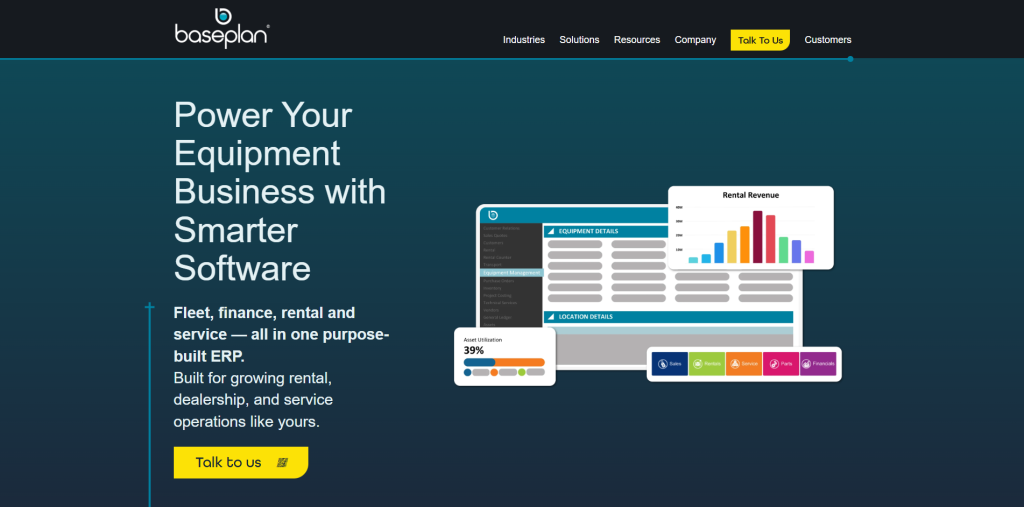
Baseplan is a purpose-built ERP for equipment rental, dealership, and service businesses. Unlike platforms that require a separate rental application, Baseplan combines rentals, sales, service, parts, transport, CRM, and financial management within one industry-specific system.
Baseplan positions its software for growing, established rental businesses, including companies operating approximately three to 30 locations and organizations with anywhere from 20 to 2,000 users. It is particularly well suited to heavy equipment, construction, aerial and access, forklift, pump and power, and equipment dealership operations.
Key Rental Features
Baseplan supports rental operations from the initial quote through equipment return, billing, and maintenance. Key capabilities include:
- Rental quotes, contracts, packages, and sub-rentals
- Equipment availability and planning calendars
- Flexible rates, discounts, and billing methods
- Fleet location, status, utilization, revenue, and cost tracking
- Preventive maintenance and pre- and post-rental inspections
- Delivery, pickup, driver assignment, and transport planning
- Parts, inventory, purchasing, and vendor management
- Mobile rental, service, and transport tools
Its rental and service modules are closely connected. For example, inspections can be created before and after a rental, while service and rental charges can be combined on the same bill.
Baseplan Pricing
Baseplan does not publish standard subscription or implementation pricing. Prospective customers must request a custom quote based on their locations, users, modules, business processes, and implementation requirements.
Companies should confirm which modules are included in their quote, along with costs for implementation, data migration, integrations, training, mobile applications, support, and future upgrades.
Advantages
- Purpose-built for equipment rental and dealerships
- Rentals, service, parts, transport, and finance in one platform
- Deep fleet availability and utilization capabilities
- Strong support for multi-location operations
- Integrated mobile and transport tools
- No separate rental add-on required
Drawbacks
- Pricing is not publicly available
- May be more extensive than smaller rental companies require
- Less familiar ecosystem than Microsoft, Oracle, or Acumatica
- Companies may have fewer implementation-partner options
- Buyers must carefully scope the modules included in their quote
Our Verdict
Baseplan is one of the best rental software ERP options for established, multi-location equipment businesses. It’s a strong option for established equipment rental companies that want deep, industry-specific functionality without combining a general ERP with several third-party applications. Its integrated approach is especially valuable for businesses managing complex fleets, workshops, parts departments, transport operations, and multiple branches.
Its biggest limitation is transparency. Pricing and implementation requirements are not publicly available, so companies will need to complete a detailed discovery process before they can compare its total cost with other rental ERP systems.
3. Oracle NetSuite with RentalSeries
Best for Larger and Multi-Entity Rental Companies
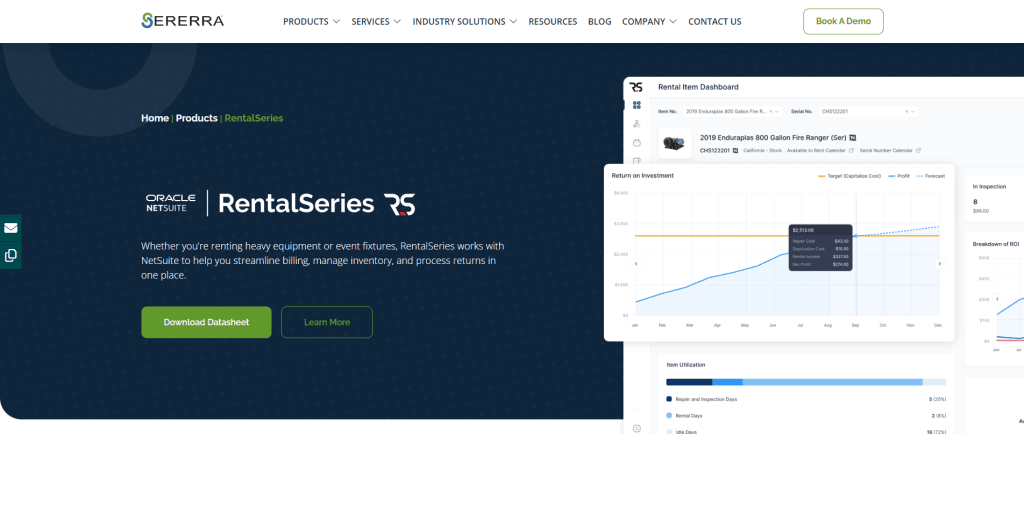
Oracle NetSuite is a cloud ERP platform that can be extended for equipment rental through RentalSeries, a native SuiteApp developed by Sererra. NetSuite provides the financial, inventory, order management, CRM, and reporting foundation, while RentalSeries adds the specialized workflows required to manage rental equipment.
This combination is best suited to larger rental companies with multiple locations, subsidiaries, currencies, or business units. NetSuite OneWorld supports more than 190 currencies, 27 languages, and operations across more than 200 countries and dependent territories.
Key Rental Features
RentalSeries manages rental activity using NetSuite’s existing customer, item, inventory, and financial records. Key capabilities include:
- Rental quotes, orders, and contracts
- Daily, weekly, monthly, and custom rental rates
- Equipment availability calendars
- Overbooking and shortage management
- Recurring invoicing and billing schedules
- Delivery, pickup, and inventory transfers
- Damage, missing equipment, and late charges
- Utilization, turnover, usage, and asset-value reporting
RentalSeries can also integrate with RepairSeries for equipment inspections, repairs, preventive maintenance, warranties, and service contracts.
NetSuite with RentalSeries Pricing
NetSuite and RentalSeries both require custom quotes. NetSuite charges an annual license consisting of the core platform, selected modules, and number of users, plus a one-time implementation fee. RentalSeries licensing and implementation are additional.
Companies should also budget for data migration, integrations, training, configuration, support, and optional NetSuite modules. The total cost can vary significantly depending on the number of users, subsidiaries, locations, and rental processes being implemented.
Advantages
- Strong financial management and consolidation
- Supports complex multi-entity organizations
- Rental functionality works within NetSuite
- Broad inventory, CRM, and ecommerce capabilities
- Detailed utilization and rental reporting
- Suitable for international operations
Drawbacks
- NetSuite and RentalSeries require separate licensing
- No publicly available starting price
- Implementation can be complex and costly
- Repair management may require another application
- May be excessive for smaller rental companies
Our Verdict
NetSuite with RentalSeries is a strong option for larger rental organizations that need sophisticated financial management across multiple companies, locations, or countries. RentalSeries adds the contracts, availability, billing, logistics, and utilization tools that NetSuite does not provide as standard rental functionality.
The main concern is cost and complexity. Companies must purchase and implement both the underlying ERP and the rental application, with additional modules potentially required for repairs, ecommerce, fixed assets, or advanced billing. Smaller rental businesses may find a more focused mid-market platform easier to implement and manage.
4. Acumatica with Rental360
Best Flexible Cloud ERP for Growing Rental Companies
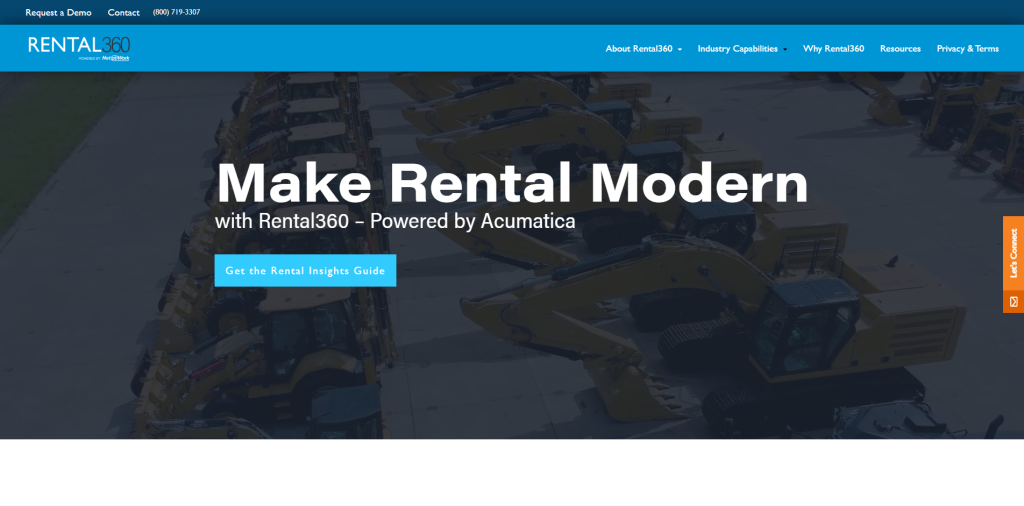
Acumatica is a cloud ERP platform that can be extended for equipment rental through Rental360. Acumatica provides financial management, inventory, CRM, reporting, and other back-office capabilities, while Rental360 connects rental activity to those shared records and processes.
Rental360 is embedded within Acumatica and is designed for companies where rental is either the primary business model or one part of a broader operation. It manages the rental lifecycle from equipment checkout and delivery through return and inspection.
Key Rental Features
Key capabilities include:
- Equipment checkout, delivery, return, and inspection
- Rental inventory management
- Equipment depreciation tracking
- Customer portals
- Activity and workflow management
- Mobile access from different devices
- File and photo attachments
- Integration with financial and back-office processes
Rental360’s connection to Acumatica gives employees access to rental, inventory, customer, and financial information within one cloud platform.
Acumatica with Rental360 Pricing
Acumatica does not publish a standard starting price. Pricing is based on the applications selected, expected usage and resource requirements, and deployment preferences rather than the number of named users.
Rental360 pricing must also be confirmed through the solution provider. Companies should request a complete quote covering the ERP, rental functionality, implementation, data migration, training, integrations, support, and required system resources.
Advantages
- Unlimited-user ERP pricing model
- Connects rentals with financial and inventory management
- Supports mobile access and customer portals
- Flexible cloud platform
- Suitable for rental-only and diversified businesses
- Can be expanded with additional Acumatica applications
Drawbacks
- No publicly listed starting price
- Rental360 must be evaluated alongside the underlying ERP
- Costs depend partly on usage and resource requirements
- Implementation requires both ERP and rental expertise
- Buyers must confirm which features are included in each product
Our Verdict
Acumatica with Rental360 is a compelling option for growing rental companies that want broad access to a flexible cloud platform. Its unlimited-user approach may be particularly valuable when warehouse employees, salespeople, managers, and other occasional users need access without individual seat fees.
The main challenge is pricing and product clarity. Buyers need to understand how Acumatica and Rental360 work together, which capabilities are included, and how usage levels may affect the total subscription cost.
5. Texada
Best for Heavy Equipment Rental, Sales, and Service Companies
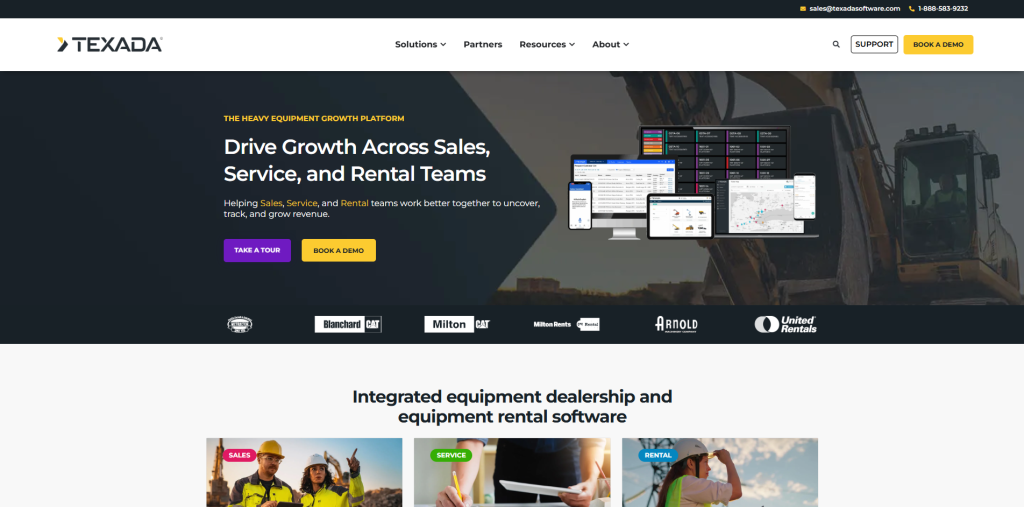
Texada is a purpose-built equipment management platform designed for rental companies and equipment dealerships. Its Equipment Growth Platform connects rental management, service, financials, mobile operations, ecommerce, payments, and customer-facing tools.
Texada is particularly well suited to heavy equipment businesses that need to coordinate counter staff, yard teams, drivers, mechanics, and service managers. Rental contracts, deliveries, work orders, inspections, returns, and billing can be managed through connected desktop and mobile applications.
Key Rental Features
Texada supports the rental lifecycle from reservation and contract creation through delivery, return, maintenance, and final billing. Key capabilities include:
- Rental reservations, contracts, and billing
- Equipment availability and status tracking
- Fleet utilization and inventory management
- Delivery, pickup, and driver coordination
- Equipment staging and inspections
- Maintenance and service work orders
- Mobile photos, digital signatures, and offline access
- Customer portals, ecommerce, and online payments
Texada’s mobile tools allow drivers and technicians to access work orders, complete inspections, capture equipment-condition photos, obtain signatures, and update rental records from the field. Information entered in one Texada application can also be shared across its rental, service, financial, and mobile products.
Texada Pricing
Texada does not publish standard subscription or implementation pricing. Prospective customers must request a custom quote based on their locations, users, products, integrations, and operational requirements.
Companies should confirm which Texada products are included in the proposal, as capabilities such as mobile operations, ecommerce, payments, analytics, CRM, and advanced asset management may be delivered through different parts of the platform.
Advantages
- Purpose-built for equipment rental businesses
- Connects rentals, service, logistics, and financials
- Strong mobile tools for drivers and technicians
- Supports equipment inspections and condition records
- Includes customer-facing ecommerce and portal options
- Designed for complex equipment and fleet workflows
Drawbacks
- Pricing is not publicly available
- Buyers may need several Texada products
- Product packaging requires careful evaluation
- May be more extensive than smaller rental companies need
- Heavy-equipment focus may not suit every rental category
Our Verdict
Texada is a strong choice for heavy equipment companies that need to coordinate rental contracts, fleet activity, transportation, service work, field employees, and customer billing. Its purpose-built tools provide more equipment-industry depth than many general ERP platforms.
The primary consideration is product scope. Companies should establish which Texada applications they require and request a complete quote that includes software, implementation, integrations, data migration, training, and ongoing support.
Which Rental ERP Is Best for Your Company?
Choosing the best rental software ERP depends on the complexity of your operations, the type of equipment you manage, and whether you want a purpose-built rental platform or a broader ERP system.
- Choose Business Central with RUX Rentals if you are a small or mid-sized company that wants to manage rentals, inventory, purchasing, service, financials, and reporting in one Microsoft-based system. It offers the strongest overall balance for growing rental and service businesses.
- Choose Baseplan if you operate an established equipment rental company or dealership and want deep, purpose-built functionality for fleet management, transport, workshops, parts, and multi-location operations.
- Choose NetSuite with RentalSeries if you are a larger organization with multiple companies, currencies, locations, or international operations. Its financial and consolidation capabilities make it a stronger fit for complex corporate structures.
- Choose Acumatica with Rental360 if you want a flexible cloud ERP with broad system access. Its unlimited-user approach may be valuable when salespeople, warehouse employees, technicians, and managers all need to use the platform.
- Choose Texada if your business focuses on heavy equipment rental, sales, service, and fleet operations. Its mobile, dispatch, maintenance, and equipment-management tools are designed for complex asset-based businesses.
Before selecting a system, narrow your list to two or three platforms and request demonstrations based on your actual rental processes. Ask each vendor to show how the system handles availability, pricing, contracts, delivery, maintenance, returns, additional charges, and financial reporting rather than relying on a general product demonstration.
Questions to Ask Rental ERP Vendors
A rental ERP demonstration should reflect how your company actually operates. Before evaluating vendors, document your equipment types, billing methods, service processes, locations, integrations, and reporting requirements.
Ask each vendor the following questions:
- Does the system support both serialized and bulk rental equipment?
Confirm that it can manage individually tracked assets as well as lower-value items rented in quantities. - Which rental rates and billing methods are supported?
Look for hourly, daily, weekly, monthly, prorated, recurring, minimum, and best-rate billing. - How does the system manage availability?
Ask how it prevents double-booking and accounts for reservations, maintenance, transfers, and expected returns. - Can rentals, sales, service, and financials operate in one system?
Determine whether employees share the same customer, equipment, inventory, and accounting records. - How are deliveries, pickups, exchanges, and transfers managed?
Ask to see scheduling, dispatch, driver assignments, route planning, and proof of delivery. - How does maintenance affect rental availability?
The system should account for inspections, preventive maintenance, repairs, and equipment that is temporarily unavailable. - How are additional charges handled?
Ask about damage, cleaning, fuel, mileage, late returns, missing equipment, and other fees. - Does the software support multiple locations and companies?
Confirm whether it can manage shared fleets, branch transfers, intercompany transactions, currencies, and consolidated reporting. - Which features require additional applications?
Identify any separate products needed for service, mobile access, ecommerce, telematics, payments, or advanced reporting. - What is included in the total implementation cost?
Request a complete estimate covering software, implementation, data migration, integrations, training, support, and future upgrades.
The most useful demonstration is one built around your real workflows. Provide vendors with several common rental scenarios and ask them to complete each process from quote through final invoice.
Frequently Asked Questions About Rental ERP Software
What is rental ERP software?
Rental ERP software connects equipment rental operations with broader business functions such as accounting, inventory, purchasing, service, customer management, and reporting. It helps companies manage the full rental lifecycle from quote and reservation through delivery, return, maintenance, and invoicing.
What is the difference between rental software and rental ERP?
Standalone rental software usually focuses on contracts, reservations, availability, and billing. Rental ERP software connects those processes with financials, inventory, purchasing, service, warehousing, and reporting in one system.
What features should equipment rental software include?
The most important features include equipment availability, flexible rental rates, contract management, recurring billing, delivery and pickup scheduling, maintenance tracking, inspections, utilization reporting, inventory management, and financial reporting.
Can an ERP manage both equipment rentals and service?
Yes, but the level of service functionality varies by platform. Some systems include maintenance and repair tools, while others require an additional service-management application.
How much does rental ERP software cost?
Rental ERP pricing depends on the number of users, locations, modules, applications, integrations, and implementation requirements. Some systems charge per user, while others use consumption-based or custom pricing. Companies should budget for software licensing, implementation, data migration, training, integrations, and ongoing support.
What is the best ERP for a small rental company?
Business Central with RUX Rentals is a strong option for small and mid-sized companies that need rental management, accounting, inventory, purchasing, and reporting in one system. Smaller businesses should still confirm that they require a full ERP rather than a simpler standalone rental platform.
What is the best ERP for a heavy equipment rental company?
Baseplan and Texada are strong purpose-built options for heavy equipment rental businesses. Business Central with RUX Rentals may be a better fit for companies that want heavy equipment rental functionality within a broader and more flexible ERP ecosystem.
Can rental ERP software integrate with GPS and telematics?
Many rental ERP systems can connect with GPS, telematics, and equipment-tracking platforms through built-in integrations, partner applications, or APIs. Buyers should confirm which telematics providers are supported and whether integration costs are included in the proposal.
Final Verdict: What Is the Best Rental Software ERP?
There is no single rental ERP that will be the best fit for every company. The right choice depends on your fleet, locations, service requirements, financial complexity, and whether you prefer a purpose-built rental platform or a broader ERP system.
For many small and mid-sized equipment rental companies, Microsoft Dynamics 365 Business Central with RUX Rentals is the best overall option. It combines rental management with financials, inventory, purchasing, service, reporting, and the wider Microsoft ecosystem in one connected platform.
Baseplan and Texada are strong alternatives for companies that prioritize deep, purpose-built rental and equipment functionality. NetSuite with RentalSeries is better suited to larger or international organizations, while Acumatica with Rental360 offers a flexible option for growing companies that need broad user access.
Before making a final decision, compare at least two or three systems using your real rental workflows. The best rental software ERP should not only manage contracts and equipment availability today, but also provide the operational visibility and flexibility your company needs as it grows.
Need Help Choosing the Best Rental Software ERP?
Service Dynamics helps rental and service companies determine whether Business Central with RUX Rentals is the right fit for their operations. Schedule a 30-minute call with one of our rental ERP experts to discuss your requirements, ask questions, and identify the best next step for your business.